A Beginner's Guide to Contactless Payments: How They Work and How to Get Started
Paying for groceries by tapping your card on a reader takes about one second. No PIN, no signature, no waiting. That speed is why contactless payments have gone from a novelty to the default checkout experience in most of the world — and if you haven't made the switch yet, this guide walks you through everything you need to know.
What Are Contactless Payments?
Contactless payments are transactions completed by holding a payment device — a card, smartphone, or wearable — close to a point-of-sale (POS) terminal without any physical swipe or insertion. The payment is processed wirelessly in a fraction of a second.
The concept emerged in the early 2000s, but adoption accelerated sharply after 2020 when hygiene concerns pushed both retailers and banks to prioritize touch-free checkout. Today, major card networks, high-street banks, and digital wallet providers all support contactless as a standard feature rather than an add-on.
What makes contactless different from a regular card payment isn't just convenience — the underlying technology also adds a layer of security that a magnetic stripe swipe simply can't match. More on that shortly.
The Technology Behind the Tap — NFC and EMV Explained
Near Field Communication (NFC) is the wireless technology that makes contactless payments possible. It transmits data between two devices placed within about 4 centimeters of each other, which is close enough to be intentional but too short a range for accidental or unauthorized reads from a distance.
NFC itself is just a radio frequency standard. What gives it financial-grade security is the EMV contactless standard — a global specification developed jointly by Europay, Mastercard, and Visa. EMV defines how payment data is encrypted, authenticated, and transmitted during a tap transaction. When you see the familiar wave symbol on a card or terminal, that's the EMV contactless indicator.
Here's what happens in that one-second tap:
- Your card or device broadcasts a one-time encrypted token to the POS terminal.
- The terminal forwards that token to the payment network for verification.
- The network confirms the transaction and sends approval back — all within milliseconds.
Because each transaction generates a unique token, intercepting the signal gives an attacker nothing reusable. This process, called tokenization, is covered in more detail in the security section below.
Types of Contactless Payment Methods
There are three main categories of contactless payment, and each suits slightly different situations.
Contactless-Enabled Debit and Credit Cards
Most cards issued in the last five years carry the contactless wave symbol and are NFC-ready out of the box. No setup is needed — you just tap and go. These are the simplest entry point for anyone new to contactless payments.
E-Wallets on Smartphones
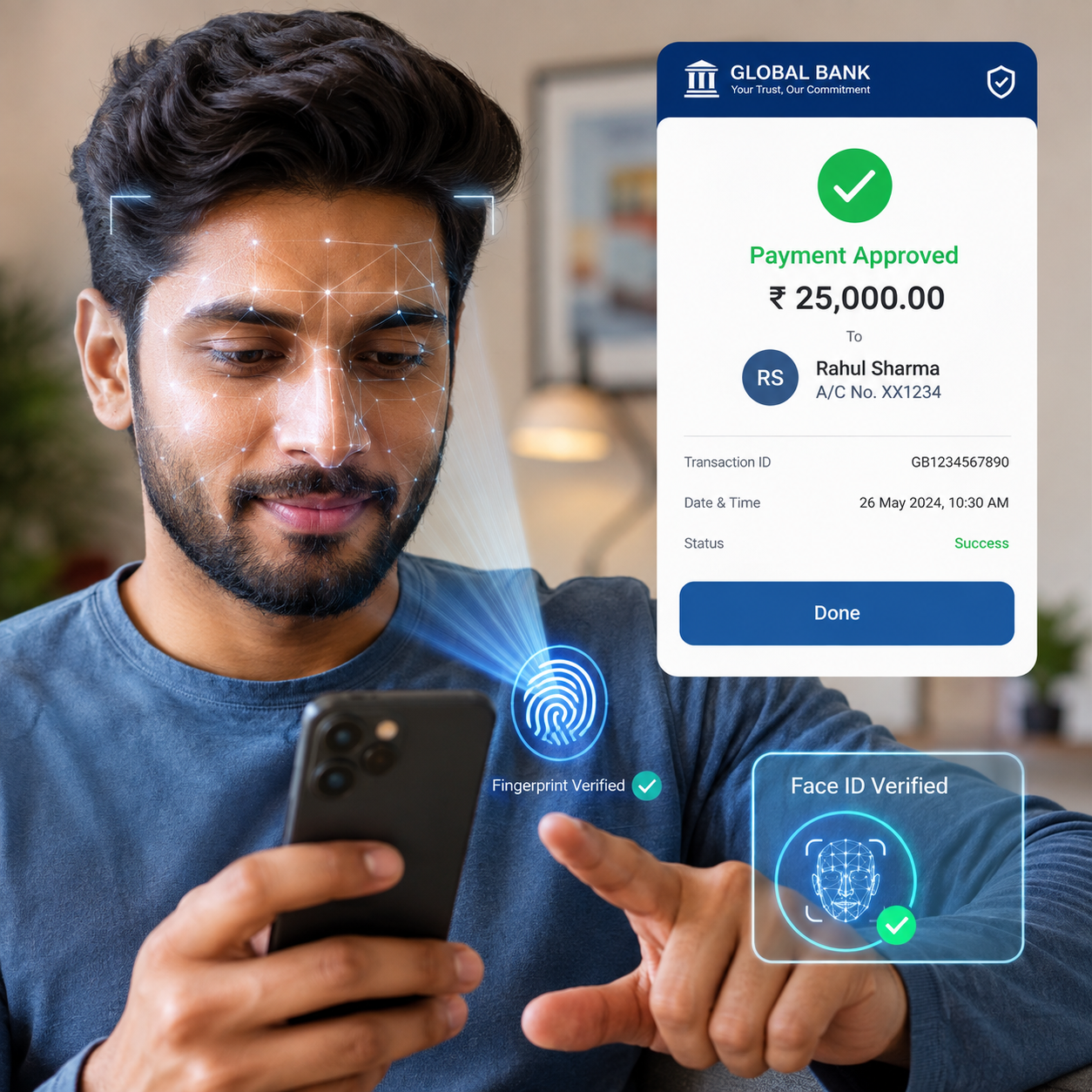
E-wallets like Apple Pay, Google Pay, and Samsung Pay store a digital version of your card on your phone. Instead of carrying the physical card, you authenticate with your fingerprint or face scan and tap your phone to the terminal. The advantage over a physical card is that your actual card number is never transmitted — only a device-specific token is used.
Mobile banking apps from many banks also include built-in wallet functionality, so you may already have access through your existing banking app.
Wearables
Smartwatches (Apple Watch, Wear OS devices, Fitbit with NFC) and even some contactless-enabled rings can process payments the same way a phone does. These are particularly useful during workouts or situations where pulling out a phone or card is inconvenient.
How to Set Up and Use Contactless Payments
Getting started takes under five minutes regardless of which method you choose.
Using a Contactless Card
Check your card for the wave symbol. If it's there, contactless is already active. At checkout, look for the same symbol on the POS terminal, hold your card within a few centimeters, and wait for the confirmation beep or light. Done.
Adding a Card to a Digital Wallet
- Open Apple Pay, Google Pay, Samsung Pay, or your bank's mobile banking app.
- Select "Add card" and either scan your card with the camera or enter the details manually.
- Your bank will verify the card — usually by sending a one-time code to your phone or email.
- Once verified, set the card as your default payment method if you want it used automatically.
- At checkout, unlock your phone (Face ID, fingerprint, or PIN), hold it near the terminal, and confirm the payment.
The verification step is a form of two-factor authentication (2FA) — combining something you have (the card) with something you know or are (a code, fingerprint, or face). This is standard across all major digital wallets.
Are Contactless Payments Safe? Security Features Explained
Contactless payments are generally more secure than magnetic stripe transactions, primarily because of tokenization and the EMV standard. Here's a plain-language breakdown of the protections in place.
Tokenization replaces your real card number with a unique, single-use token for every transaction. Even if someone intercepted the signal from your tap, the token they captured would be useless for any future purchase.
The short NFC range (under 4 cm) makes drive-by skimming attacks — where a reader is held near your wallet without your knowledge — extremely difficult in practice. Researchers have demonstrated theoretical attacks, but documented real-world cases of NFC skimming remain rare.
For higher-value transactions above the contactless transaction limit (typically £100 in the UK, €50 in much of Europe, $100 in the US — though limits vary by country and issuer), most systems require a PIN or biometric confirmation. This threshold acts as a natural cap on exposure if a card is lost.
If your phone is lost or stolen, your digital wallet can be remotely disabled through your bank's mobile banking app or through Apple/Google account settings. Your physical card can be frozen the same way through your bank's app. Neither action requires a branch visit.
Common Limitations and Things to Watch Out For
Contactless payments work well in most situations, but there are genuine trade-offs worth knowing before you rely on them exclusively.
- Transaction caps: Spending limits exist per tap, and while cumulative limits vary, some issuers require a PIN after several consecutive contactless transactions — a security measure, not a malfunction.
- Merchant acceptance gaps: Smaller independent retailers, market stalls, and some transit systems in developing regions may not yet have NFC-capable terminals. Always carry a backup payment method when traveling.
- Battery dependency: A dead phone means no Apple Pay or Google Pay. Physical contactless cards don't have this problem, which is one reason many people use both.
- Regional availability: Contactless infrastructure varies significantly by country. Adoption is near-universal in the UK, Australia, and most of Western Europe, but patchy in parts of Southeast Asia, Latin America, and rural areas globally.
Choosing device-based payments for the biometric security means accepting that you need a charged phone. Neither approach is universally better — the right choice depends on your habits and where you spend most of your time.
Tips for Getting the Most Out of Contactless Payments
A few practical habits will make your contactless experience smoother and more secure from day one.
- Keep your mobile banking app updated. Banks push security patches and fraud detection improvements through app updates. An outdated app is a gap in your protection.
- Enable transaction notifications. Most banking apps let you set instant alerts for every payment. This is the fastest way to catch unauthorized charges — often within seconds of them occurring.
- Use 2FA wherever it's offered. For your banking app, your Apple or Google account, and any e-wallet, enable biometric or code-based authentication. It takes seconds to set up and significantly raises the bar for unauthorized access.
- Review your statements weekly. Contactless makes spending frictionless, which is convenient but can also make it easier to lose track. A quick weekly check keeps your budget and your security in good shape.
- Know how to freeze your card instantly. Before you need it, find the freeze/lock option in your bank's app. In a loss or theft scenario, acting within the first few minutes matters.
The EMVCo website publishes the global specifications that underpin contactless payments if you want to explore the technical standards further.
Frequently Asked Questions
Is there a spending limit on contactless payments?
Yes. Most countries and card issuers set a per-transaction cap — commonly between $50 and $100 — above which a PIN or biometric confirmation is required. Limits vary by region and can sometimes be adjusted through your bank's app.
Can my card be charged without me knowing if someone gets close to it?
In theory, NFC can be read at very close range, but tokenization means any intercepted data is a one-time token with no reuse value. Documented real-world cases of accidental or fraudulent NFC charges are extremely rare. An RFID-blocking wallet adds a physical barrier if you want extra peace of mind.
Do I need an internet connection to make a contactless payment?
For a physical contactless card, no — the NFC chip communicates directly with the terminal, and the internet connection is on the merchant's side. For e-wallets on a phone, the payment itself doesn't require your phone to be online, but adding a new card or making changes to your wallet does.
What should I do if my contactless card or phone is lost or stolen?
Open your bank's mobile banking app immediately and freeze the card. For a phone, remotely lock or wipe it through your Apple ID or Google account settings. Contact your bank directly if you notice any unauthorized transactions.
Are contactless payments accepted everywhere?
Not yet. Acceptance is very high in the UK, Australia, Canada, and most of Western Europe, but coverage is uneven in some regions. When traveling internationally, carrying a chip-and-PIN card as a backup is a sensible precaution.